
Phishing Scams Targeting Oil & Gas Employees — And How to Avoid Them

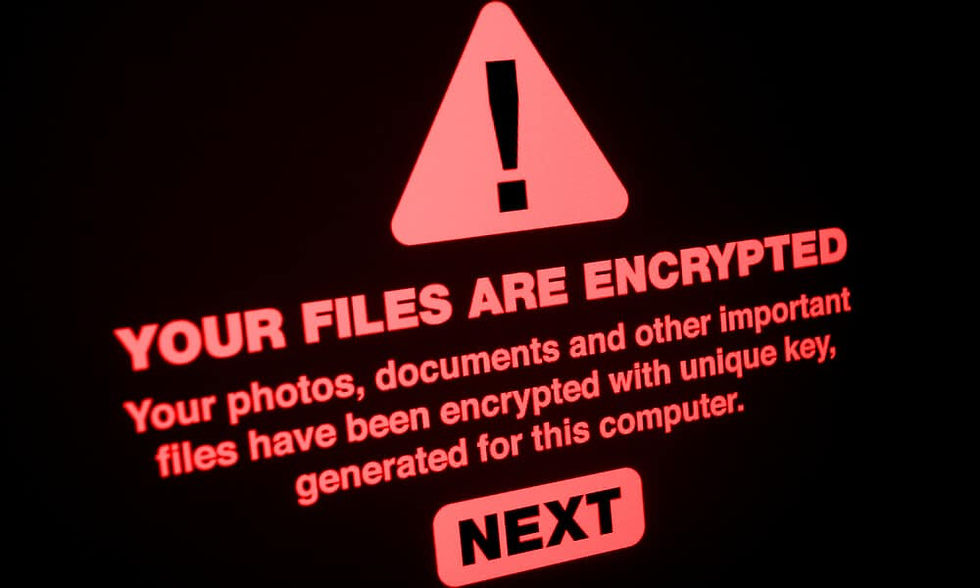
Every day, 3.4 billion phishing emails are sent globally. A significant portion of them are aimed squarely at the energy sector — and Calgary's oil and gas industry is in the crosshairs.
According to a 2025 Trustwave report, 84% of ransomware attacks on the energy sector begin with a phishing email. Hunt.io recorded over 1,465 phishing detections against energy companies in a single year, with 30 distinct energy brands being actively impersonated by attackers. Closer to home, Suncor Energy — one of Canada's largest oil sands producers — experienced a significant cyberattack in 2023 that experts estimated would cost the company millions in recovery.
Phishing isn't a technology problem. It's a people problem. And that means every employee in your Calgary oil and gas company — from the executive team to field technicians — is a potential entry point for attackers.
This post breaks down the six most common phishing scams targeting oil and gas employees right now, why energy sector workers are particularly vulnerable, and the practical steps that actually reduce your risk.
The 7 Most Common Phishing Scams Targeting Oil & Gas Employees
1. The Fake Vendor Invoice or RFQ
This is one of the most effective phishing attacks targeting oil and gas companies — and one of the hardest for employees to spot. Attackers research your organization, identify real vendors and contractors you work with, and send emails that appear to be legitimate requests for quotations (RFQs), purchase orders, or invoices. The email references real projects, uses the vendor's actual branding, and comes from a lookalike domain that's almost identical to the real one (e.g. "suncor-vendor.com" instead of "suncor.com").
A year-long phishing campaign uncovered by security researchers at Intezer specifically targeted energy, oil, and gas companies using exactly this approach — spoofed B2B correspondence designed to steal credentials and use each compromised company as a foothold to attack the next one in the supply chain.
What to watch for: Email addresses that look almost right but have an extra letter, a different domain extension, or a hyphen that wasn't there before. Urgent payment requests or attachments you weren't expecting.
2. CEO or Executive Impersonation (Business Email Compromise)
Business Email Compromise (BEC) is one of the costliest cybercrimes globally, with losses exceeding $55 billion since 2013 according to the FBI. In the oil and gas sector, attackers impersonate senior executives — CEOs, CFOs, or VPs — and send urgent emails to finance or accounts payable staff requesting wire transfers, gift card purchases, or changes to vendor payment details.
The emails are carefully crafted to mimic the executive's writing style, reference real projects or deals, and create time pressure that bypasses normal approval processes. "I'm in a board meeting — can you process this payment urgently? Don't call, just email back."
What to watch for: Any urgent financial request that bypasses normal approval channels. Verify by phone directly with the executive before acting — never reply to the email itself.
3. AI-Powered Deepfake Voice and Video Calls
This is the newest and most alarming development in phishing. Attackers are now using AI to clone voices and generate deepfake video calls that impersonate executives or colleagues with frightening accuracy. An employee at a multinational firm received what appeared to be a video call from their CFO — who turned out to be an AI-generated deepfake — and was convinced to transfer $25 million.
For Calgary oil and gas companies with remote field operations and teams communicating across distances, this attack vector is particularly relevant. An unexpected call or video message from a supervisor asking for credentials, approvals, or urgent action should always be verified through a separate, known contact channel.
What to watch for: Unexpected calls requesting urgent action, financial transfers, or credential sharing. Always verify through a second channel — call them back on their known number.
4. IT Department or Software Update Impersonation
Attackers impersonate your IT department or a software vendor (Microsoft, Adobe, VPN providers) to trick employees into clicking a malicious link or downloading a fake update. The email warns of an urgent security issue — "Your Microsoft 365 account will be suspended in 24 hours" or "Critical VPN update required" — and directs the employee to a convincing fake login page that harvests their credentials.
For oil and gas companies where field workers use VPNs and remote access tools daily, these emails are particularly convincing. Attackers know the software your industry uses and craft their lures accordingly.
What to watch for: Urgent IT notices asking you to click a link and log in. Your IT provider will never ask for your password via email. Go directly to the official website rather than clicking links in emails.
5. Supply Chain and Contractor Impersonation
The Alberta energy sector operates on a dense web of contractors, subcontractors, and third-party vendors. Attackers exploit this by compromising a legitimate vendor's email account and using it to send phishing emails to their entire client list — including your organization. Because the email comes from a real, trusted address, standard email security filters often let it through.
These attacks typically deliver malware through attachments — often disguised as invoices, safety documents, or engineering specifications — that establish remote access to your systems once opened.
What to watch for: Unexpected attachments from known vendors, especially file types like .img, .iso, or .zip. If you weren't expecting a document, call the vendor directly before opening it.
6. Credential Harvesting via Fake Portals
Attackers create convincing fake login pages that mimic Microsoft 365, your company's VPN portal, or industry-specific platforms used in oil and gas operations. An employee receives an email that looks like a legitimate login notification, clicks the link, and enters their credentials into what appears to be a real login page. Those credentials are immediately captured by the attacker.
With valid credentials, attackers can access email accounts, cloud storage, internal systems, and in some cases operational technology environments. Credential theft is one of the most common initial access methods used in oil and gas cyberattacks.
What to watch for: Any email that directs you to log in somewhere. Go directly to the site by typing the address in your browser rather than clicking email links. Check that the URL in your browser's address bar is exactly correct before entering your password.
7. Microsoft Teams IT Support Impersonation (The "Spring Ring" Attack)
This is the newest and fastest-growing scam hitting Canadian businesses right now — and it's specifically designed to bypass everything your team has been trained to watch for in email.
Here's how it works. The employee's inbox is suddenly flooded with dozens or hundreds of spam emails in a short window — newsletter sign-ups, junk notifications, confirmation messages. This is called "email bombing" and it's deliberate: it overwhelms the inbox and sets the stage. Within minutes, a Microsoft Teams chat or call arrives from someone claiming to be from IT, the help desk, or Microsoft Support. They say the account is under attack and offer to fix it.
The Teams account looks convincing. Attackers create profiles with names like "IT SUPPORT," "Help Desk," or department-based aliases — some even add checkmark emojis to appear verified. Unlike a suspicious email, the message arrives inside Microsoft Teams, a trusted work tool, which is exactly why employees lower their guard.
Researchers at Palo Alto Networks' Unit 42 documented a coordinated version of this attack called Spring Ring, active from January through April 2026, which targeted more than 150 employees across at least 10 organizations. Sophos uncovered a related campaign, STAC4749, that targeted dozens of organizations across North America — 50% of them based in Canada — and deployed ransomware within 17 hours of the initial Teams contact in some cases.
If the employee grants remote access through Quick Assist or another remote management tool, approves an MFA prompt, or shares their screen, the attacker has everything they need. Ransomware or data theft typically follows within hours.
What to watch for: Your inbox suddenly filling with junk, followed by an unexpected Teams message or call from "IT" or "Help Desk" — especially from an account outside your organization (Teams will show a warning that the sender is external). Your real IT team will never initiate contact through Teams out of nowhere and ask for remote access, MFA approval, or your credentials. If this happens, hang up, do not grant access, and call your actual IT provider directly on their known number.
Why Oil & Gas Employees Are Especially Vulnerable
Understanding why phishing works so well in the energy sector helps explain why awareness training and technical controls need to go hand in hand.
High-pressure, fast-moving work environment. Oil and gas operations move quickly. When a field supervisor sends an urgent request or a finance manager receives what looks like a time-sensitive vendor invoice, the instinct is to act fast rather than slow down to verify. Attackers deliberately engineer time pressure to override caution.
Complex, multi-company supply chains. With dozens of vendors, contractors, and subcontractors communicating regularly, oil and gas employees receive legitimate business correspondence from a wide variety of external sources. This makes it genuinely harder to distinguish a real vendor email from a convincing fake one.
Remote and distributed workforces. Calgary-based energy companies often have staff spread across field sites, remote locations, and office environments. Remote workers are more isolated from colleagues who might catch something suspicious, and they often rely heavily on email and messaging for communication — exactly the channels attackers exploit.
Valuable and sensitive data. Oil and gas companies hold financial data, intellectual property, operational data, and access credentials to critical systems. That combination makes the payoff for a successful phishing attack significantly higher than in many other industries — which is why attackers invest more effort in convincing, targeted lures.
How to Spot a Phishing Email — 8 Warning Signs
No single indicator is foolproof, but these are the warning signs your team should be trained to recognize:
The sender's email address doesn't match the company it claims to be from. Look at the actual email address, not just the display name. "Microsoft Support" can be displayed on an email from "xyzspam@random.net."
Lookalike domains with subtle differences. suncor-vendor.com, sunc0r.com, or suncor.invoices.net are not the same as suncor.com. Check the domain carefully.
Unexpected urgency or pressure. "Act within 24 hours or your account will be suspended." "This is time-sensitive — please process immediately." Urgency is a manipulation tactic.
Requests that bypass normal processes. A payment request that asks you to skip normal approvals, or an IT notice that asks for your password — these violate standard business and IT procedures for a reason.
Unexpected attachments. If you weren't expecting a file, especially an unusual file type (.img, .iso, .zip, .cab), don't open it without verifying with the sender by phone.
Links that don't match their destination. Hover over any link before clicking. The URL shown at the bottom of your browser should match where the email claims it's going. If it doesn't — don't click.
Generic greetings in targeted emails. Sophisticated attackers personalize emails, but many phishing attempts still use "Dear Customer" or "Dear User" instead of your name.
Something just feels off. Trust your instincts. If an email feels unusual — even if you can't immediately say why — verify before you act. Taking two minutes to call a vendor or colleague has prevented countless breaches.
What to Do If You Think You've Been Phished
Speed matters. The faster you act after a phishing incident, the less damage an attacker can do. Here's what your team should do immediately:
1. Don't panic — and don't try to hide it. The instinct to stay quiet out of embarrassment is one of the most costly mistakes after a phishing incident. Attackers count on the delay while employees decide whether to report. Every hour matters.
2. Disconnect from the network immediately. If you clicked a malicious link, opened a suspicious attachment, or entered credentials somewhere you shouldn't have — disconnect your device from the company network and Wi-Fi right away. This limits how far malware can spread.
3. Report to IT immediately. Call your IT support team — not email, which may itself be compromised. Describe exactly what happened: what you clicked, what you entered, and when. Your IT team needs this information to contain the incident.
4. Change your passwords from a different, clean device. If you entered credentials into a suspicious site, change those passwords immediately — from a device that was not involved in the incident. Start with email, then any other accounts that use the same password.
5. Watch for unusual activity. After a phishing incident, monitor your email for sent messages you didn't write, watch for password reset notifications you didn't request, and alert your IT team to anything unusual in the days following.
6. Don't click anything else in that email thread. Attackers sometimes send follow-up emails after an initial phishing attempt to confirm the address is active or to deliver a second payload. Delete the thread and report it.
How West Wolf IT Protects Calgary Oil & Gas Companies From Phishing
Awareness is the first layer of defence — but it can't be the only one. Human error is inevitable, and attackers are getting better at bypassing even well-trained employees with AI-powered, highly personalized attacks. A layered technical defence is essential.
West Wolf IT deploys and manages the following controls specifically to stop phishing attacks before they reach your team — and to contain the damage when something gets through:
Email security and anti-phishing filtering — blocks malicious emails before they reach inboxes, with anti-spoofing protections (SPF, DKIM, DMARC) that stop attackers from impersonating your domain
Endpoint Detection & Response (EDR) powered by Kaseya — monitors every device in real time and automatically contains threats before they spread across your network
Multi-factor authentication (MFA) — ensures that even if credentials are stolen through a phishing attack, attackers can't use them to access your systems
Dark web monitoring — alerts you immediately if your company's credentials appear in a breach, so you can act before attackers do
Security awareness training and phishing simulations — regular training and simulated phishing campaigns that test whether your team can spot real attacks before they cause damage
Incident response planning — documented, tested procedures so your team knows exactly what to do when a phishing incident occurs
Phishing attacks on Calgary's oil and gas sector are increasing in volume, sophistication, and cost. The question is no longer whether your organization will be targeted — it's whether you'll be ready when it happens.
West Wolf IT Solutions specializes in cybersecurity for Calgary's oil and gas sector. Book a free Cyber Score assessment to find out how exposed your organization is right now — and what it will take to close the gaps.
👉 Check Your Free Cyber Score → westwolfit.com/cyberscore
Comments